Make sure that:
- The
ImageandDescriptionlinks also take data from the database. - Get rid of separate controllers for objects and make two universal ones for info and image.
- In general, it should work as usual.
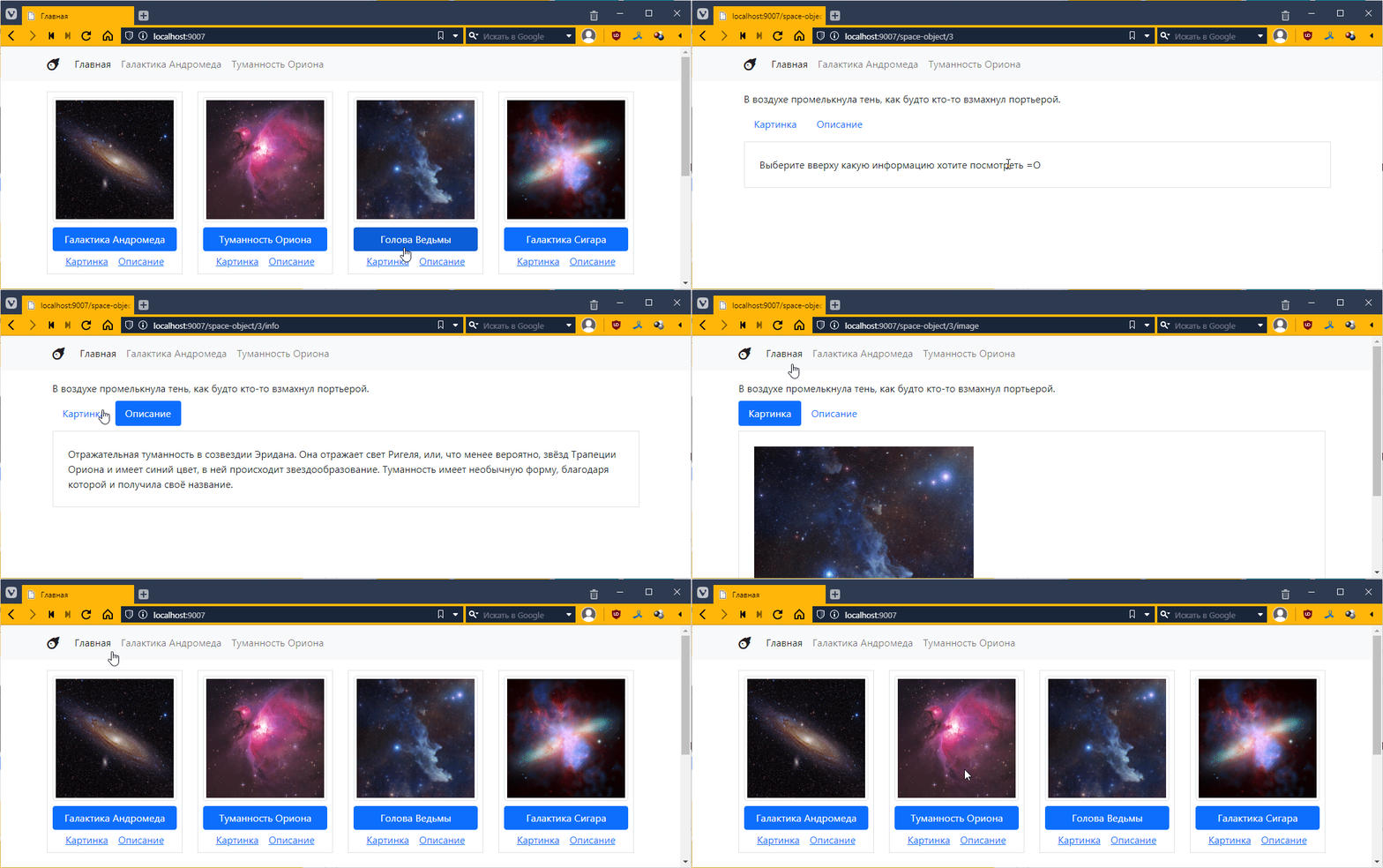
Let’s take a look at the links. Let’s start with the big blue button, which should open a page with general information about the object.
Previously, we had a separate controller and a separate template for each page. Specifically, AndromedaController.php and OrionController.php.
Well, when there are only two objects, this works fine in principle.
But if you are working with a database, you may have a lot of objects, and even our five objects already make you think about the feasibility of this approach.
So what should we do?
We simply create one template and one controller, within which we decide which object to display. As for how to determine which object to display, the ability to set a URL template comes in handy here.
For example, now when we want to go to the Andromeda page, we use the URL /andromeda, and if we want to see Orion, we go to /orion. Now we have more objects, and there aren’t enough names for all of them (although there are ways around that, of course).
Therefore, we can use a more universal approach. Each object has a unique number, which is stored in the id field.
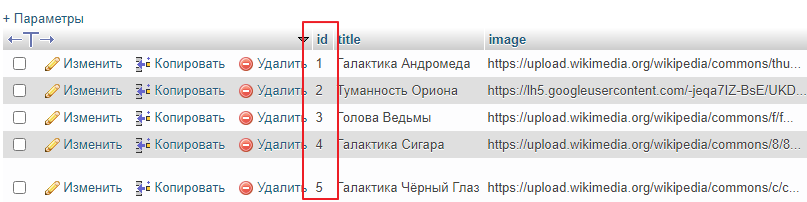
We can use it instead of an explicit name in the link and go to the Andromeda Galaxy, for example, at /space-object/1, or to the Cigar Galaxy at /space-object/4. This gives us a template like this:
/space-object/{id}
where id is the object identifier. In order to match the template with the URL, we need to use a regular expression again.
Using a regular expression, we can describe this template as follows:
/space-object/\d+
\d+ means one or more consecutive digits (i.e., essentially any number).
This expression will match combinations such as
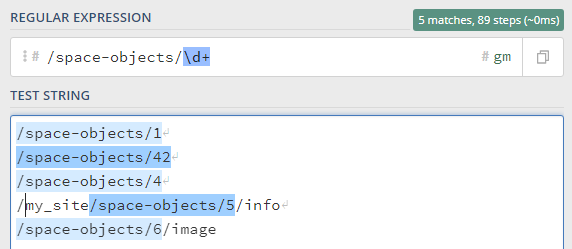
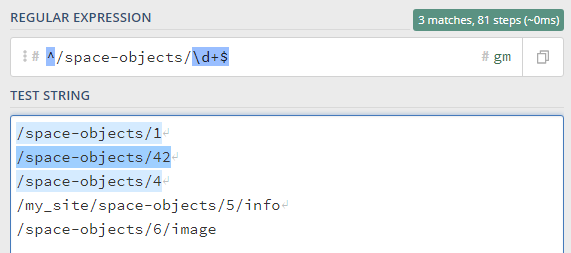
which is almost right, but I still want the entire string to be checked, so I will add the start ^ and end $ characters to the regular expression, like this:
^/space-object/\d+$
then only the first 3 strings will match
And I also want to somehow access the number itself.
To do this, you can mark a piece of the template with round brackets in the regular expression, and then you will be able to access the text in the selected block. We make the regular expression like this:
^/space-objects/(\d+)$
and see how the system recognizes it:
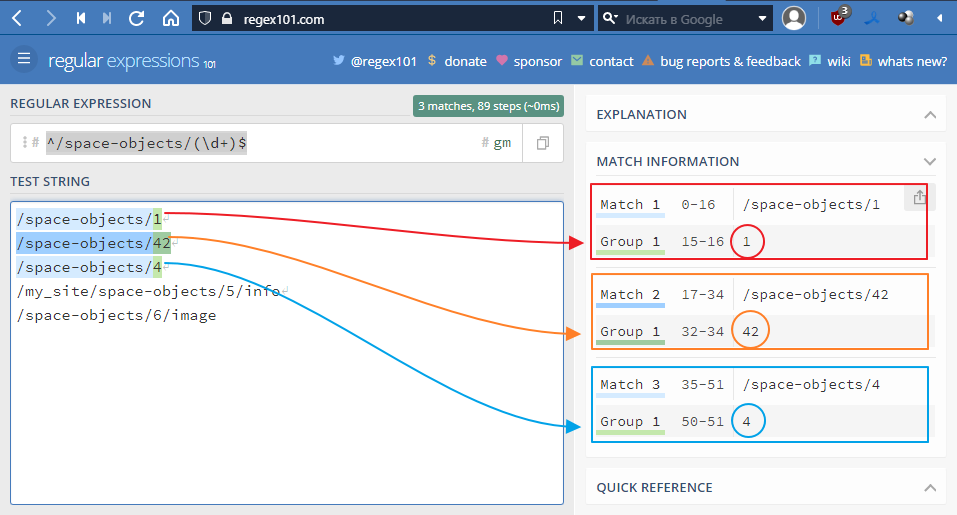
Basically, that’s what we need. Let’s try to implement it, but first
Go to index.php and delete everything from the router:
<?php
// ...

// leave only the main page
if ($url == "/") {
    $controller = new MainController($twig);
}

// ...
I want my router to become a separate class. To which you can add URLs and their corresponding controllers. And the router, being a class itself, will decide which controller to choose for the current URL.
But we need to figure out where to put this class.
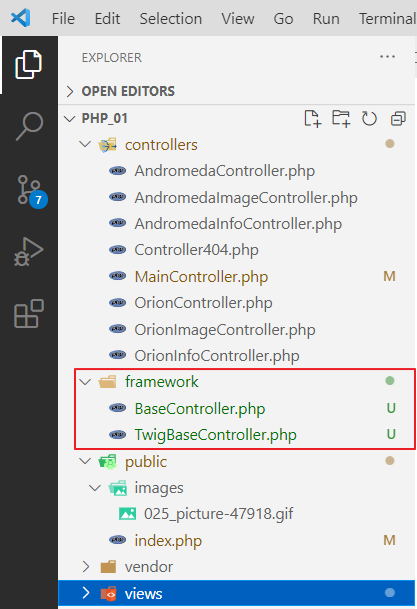
Since what we are essentially doing is creating a microframework, let’s create a framework folder. And move BaseController.php and TwigBaseController.php into it
Now let’s create a file called autoload.php so that we don’t have to manually write the paths to these files. We write the following in it
<?php

spl_autoload_register(function($class) {
    $fn = __DIR__ . "\\" . $class . '.php';
    if (file_exists($fn)) {
        require_once $fn;
    }
});
The idea behind this file is as follows: it uses a special function called spl_autoload_register, which registers a function that will be called when the PHP code mentions a class that has not been explicitly imported.
In fact, every time there is a reference to such an unknown class, the function
function($class) {
    $fn = __DIR__ . "\\" . $class . ".php";
    if (file_exists($fn)) {
        require_once $fn;
    }
}
The function forms the absolute path to the file, i.e., the class name, for example, TwigBaseController, is passed to $class,
and __DIR__ is the path to the folder where autoload.php is located
In PHP, you can concatenate strings using a dot, i.e. __DIR__ . "\\" . $class . ".php"; will give us the absolute path to the file TwigBaseController.php, something like C:\Users\m\Desktop\php_01\framework\TwigBaseController.php
Next, we check if such a file exists, and if it does, we connect it.
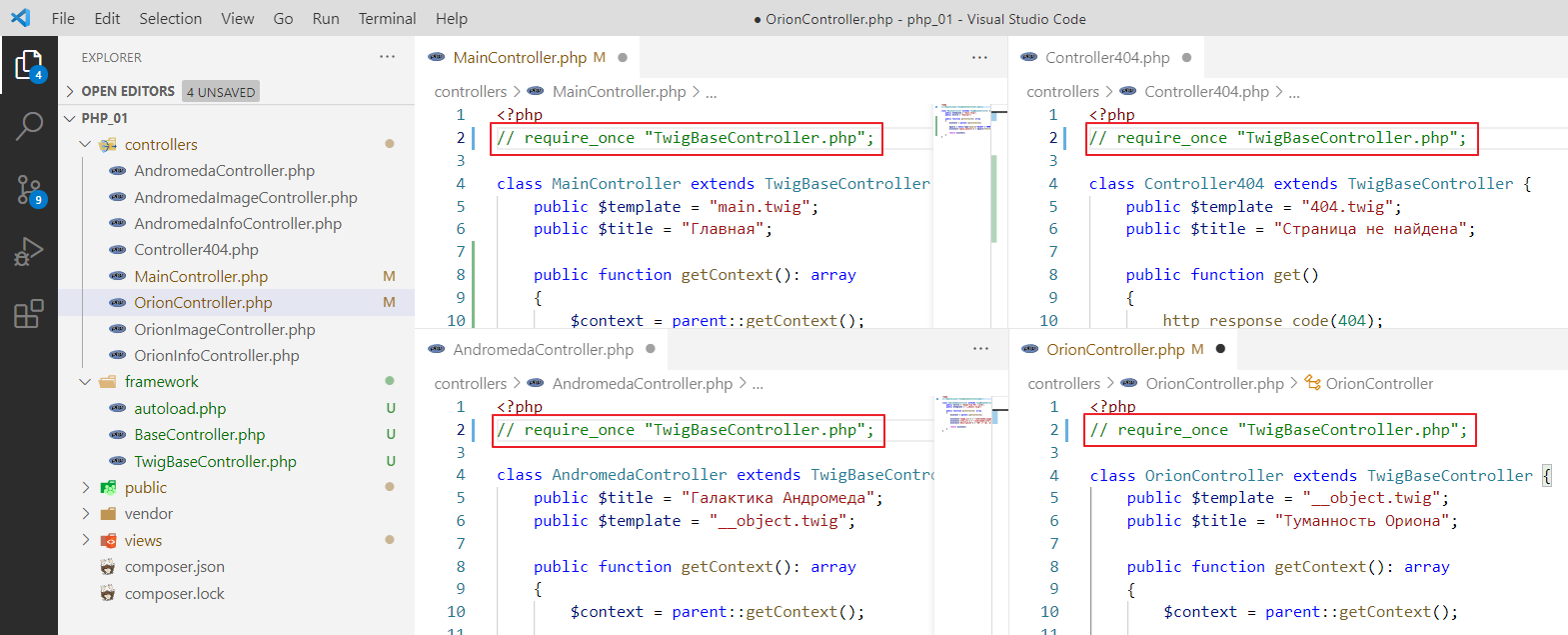
Now we need to remove require_once from TwigBaseController everywhere
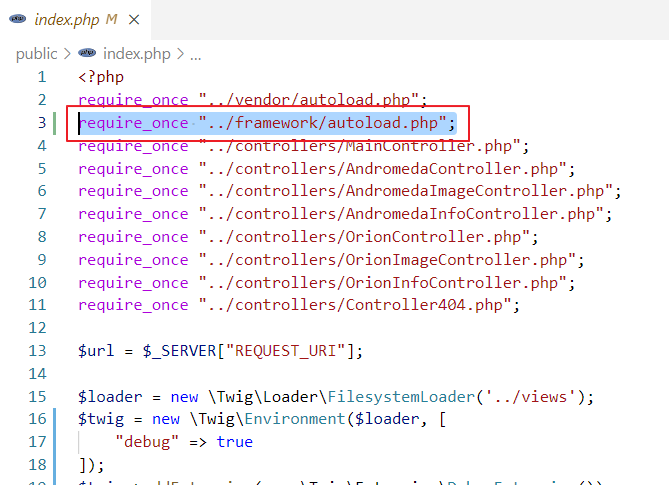
and add autoload to index.php
In theory, if we run it, the main page should work as usual:
Create a file named Router.php in the framework folder.
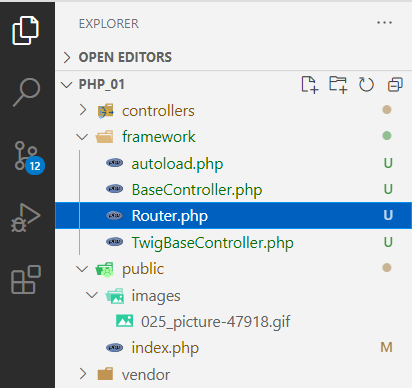
And write the following in it:
<?php

// First, let's create a class for a single route.
class Route {
    public string $route_regexp; // here we get the url template
    public $controller; // and this is the controller class

    // well, just a constructor
    public function __construct($route_regexp, $controller)
    {
        $this->route_regexp = $route_regexp;
        $this->controller = $controller;
    }
}
Now the router itself:
<?php

class Route {
    // ...
}

class Router {
    /**
     * @var Route[]
     */
    protected $routes = []; // create a field -- a list of routes and controllers associated with them

    protected $twig; // variables for twig and pdo
    protected $pdo;

    // constructor
    public function __construct($twig, $pdo)
    {
        $this->twig = $twig;
        $this->pdo = $pdo;
    }

    // function used to add a route
    public function add($route_regexp, $controller) {
        // essentially just pushes the route with the associated controller into $routes
        array_push($this->routes, new Route($route_regexp, $controller));
    }

    // function that should find the route by URL and call its get function
    // if the route is not found, the default controller will be used
    public function get_or_default($default_controller) {
        $url = $_SERVER["REQUEST_URI"]; // got the URL

        // set it in the $default_controller controller
        $controller = $default_controller;
        // go through the $routes list
        foreach($this->routes as $route) {
            // check if the route matches the template
            if (preg_match($route->route_regexp, $url)) {
                // if it matches, set the controller associated with the template
                $controller = $route->controller;
               // and exit the loop
                break;
            }
        }

        // create a controller instance
        $controllerInstance = new $controller();
        // pass pdo to it
        $controllerInstance->setPDO($this->pdo);

        // call
        return $controllerInstance->get();
    }
}
It’s not entirely clear how to pass twig here, since in TwigBaseController.php it was passed through the constructor.
Let’s go to TwigBaseController.php and pass it through the setter as well:
<?php
require_once "BaseController.php";

class TwigBaseController extends BaseController {
    public $title = "";
    public $template = "";
    protected \Twig\Environment $twig;

    // remove
    // public function __construct($twig)
    // {
    //     $this->twig = $twig;
    // }

    // add
    public function setTwig($twig) {
        $this->twig = $twig;
    }

    public function getContext() : array
    {
        // ...
    }

    public function get() {
        // ...
    }
}
Return to Router and add the following:
class Router {
    // ...

    public function get_or_default($default_controller) {
        // ...

        $controllerInstance = new $controller();
        $controllerInstance->setPDO($this->pdo);

        // check if controllerInstance is a descendant of TwigBaseController
        // and if it is, pass twig to it
        if ($controllerInstance instanceof TwigBaseController) {
            $controllerInstance->setTwig($this->twig);
        }

        // call
        return $controllerInstance->get();
    }
}
Here again, we clear out a lot of stuff and write:
<?php
// ...
require_once "../controllers/Controller404.php";

// $url = $_SERVER["REQUEST_URI"]; REMOVE

$loader = new \Twig\Loader\FilesystemLoader("../views");
$twig = new \Twig\Environment($loader, [
    "debug" => true
]);
$twig->addExtension(new \Twig\Extension\DebugExtension());

// $controller = new Controller404($twig); REMOVE

$pdo = new PDO("mysql:host=localhost;dbname=outer_space;charset=utf8", "root", "");

$router = new Router($twig, $pdo);
$router->add("#/#", MainController::class);
$router->get_or_default(Controller404::class);

/*remove
if ($url == "/") {
    $controller = new MainController($twig);
}

if ($controller) {
    $controller->setPDO($pdo);
    $controller->get();
}
*/
It will remain like this:
<?php
// ...
require_once "../controllers/Controller404.php";

$loader = new \Twig\Loader\FilesystemLoader("../views");
$twig = new \Twig\Environment($loader, [
    "debug" => true
]);
$twig->addExtension(new \Twig\Extension\DebugExtension());

$pdo = new PDO("mysql:host=localhost;dbname=outer_space;charset=utf8", "root", "");

$router = new Router($twig, $pdo);
$router->add("#/#", MainController::class);
$router->get_or_default(Controller404::class);
Let’s test it.
Beautiful! =)
Let’s try adding another URL:
<?php
// ...

$router = new Router($twig, $pdo);
$router->add("#/#", MainController::class);
$router->add("#/andromeda#", AndromedaController::class);

$router->get_or_default(Controller404::class);
Let’s test it:
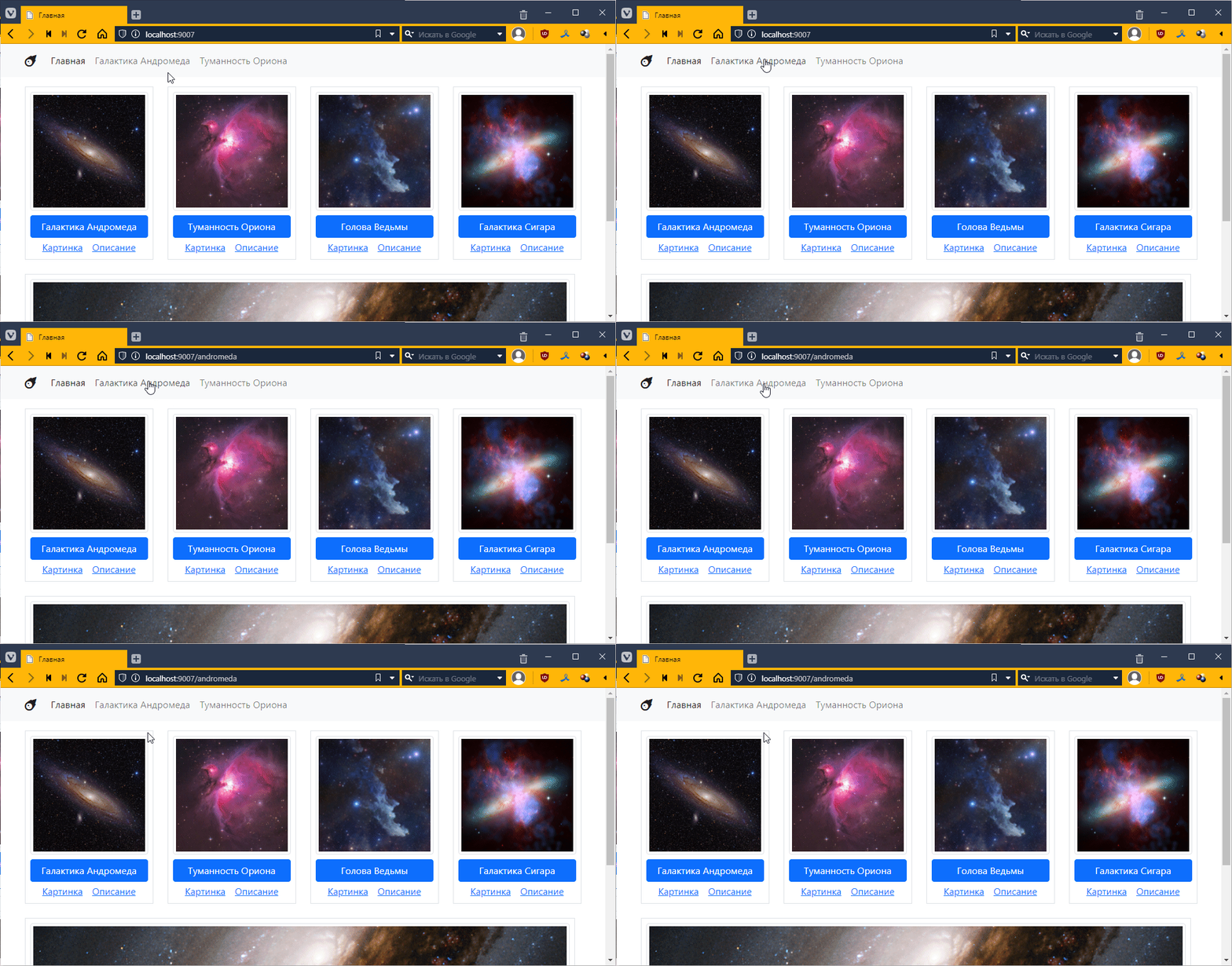
It doesn’t work…
Ah! There’s a problem with the order again, it finds the first one it comes across. Let’s make it so that it always searches for a template with a full match. In theory, we should write it like this:
$router = new Router($twig, $pdo);
$router->add("#^/$#", MainController::class);
$router->add("#^/andromeda$#", AndromedaController::class);
Then it starts working:
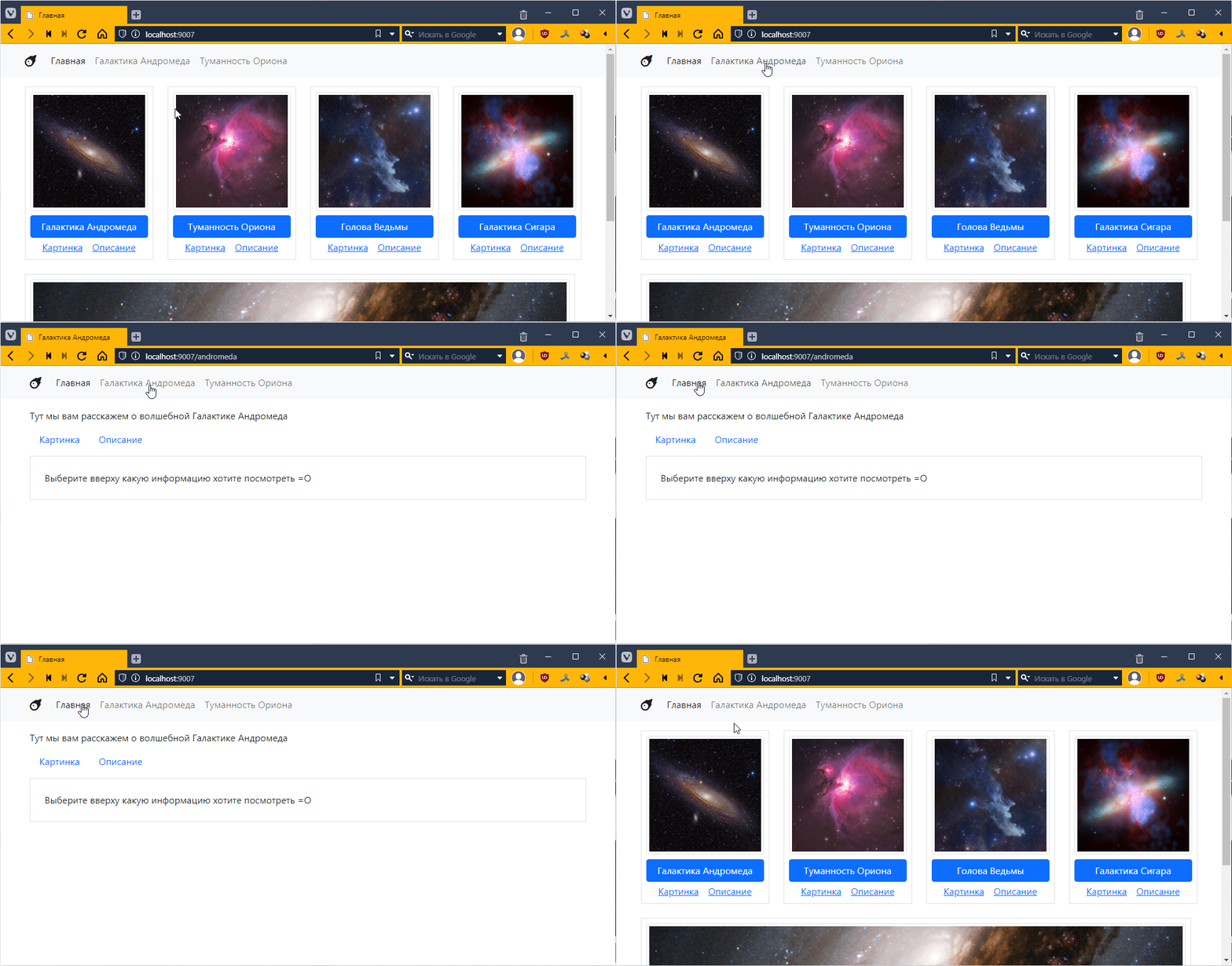
It seems fine, but you have to constantly write #^ at the beginning and $# at the end. Let’s make it automatically added to add. Go to Router.php and tweak it there:
class Router {
    // ...

    public function add($route_regexp, $controller) {
        // wrapped it in #^ and $# here
        array_push($this->routes, new Route("#^$route_regexp$#", $controller));
    }
and now in index.php we leave it like this:
$router = new Router($twig, $pdo);
$router->add("/", MainController::class);
$router->add("/andromeda", AndromedaController::class);
This makes it much easier to read and write.
Go to the controllers folder and create a file called ObjectController.php and put the twig controller template in it.
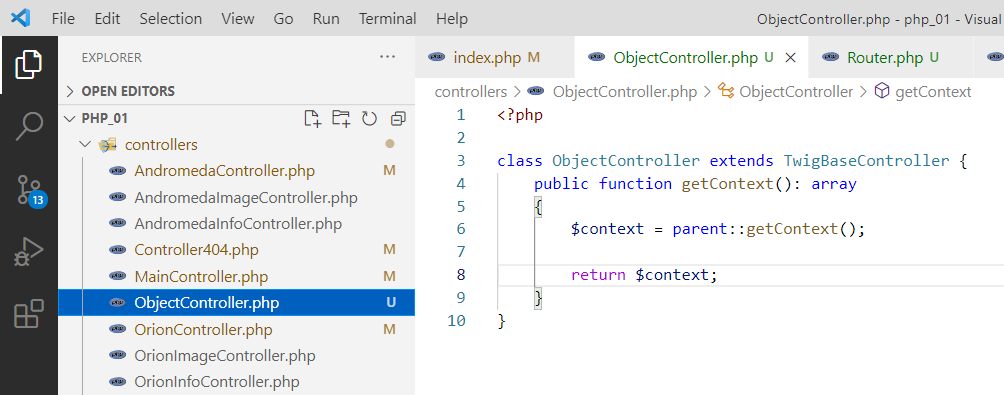
Look, we already have a template for the object, all that’s left is to get the data from the database.
<?php

class ObjectController extends TwigBaseController {
    public $template = "__object.twig"; // specify the template

    public function getContext(): array
    {
        $context = parent::getContext();

        // prepare a query to the database, let's say we'll pull the record with id=3
        // here I specify specific fields, it's more logical there
        $query = $this->pdo->query("SELECT description, id FROM space_objects WHERE id=3");
        // pull one row from the database
        $data = $query->fetch();

        // transfer the description from the database to the context
        $context["description"] = $data["description"];

        return $context;
    }
}
Now let’s connect this controller to the router in index.php:
<?php
require_once "../vendor/autoload.php";
require_once "../framework/autoload.php";
require_once "../controllers/MainController.php";
require_once "../controllers/ObjectController.php"; // added
// ...

$router = new Router($twig, $pdo);
$router->add("/", MainController::class);
$router->add("/andromeda", AndromedaController::class);
// remember our regular expression that we created above, we put it here
$router->add("/space-object/(\d+)", ObjectController::class);

$router->get_or_default(Controller404::class);
Now let’s try to open the link with space-object. I have http://localhost:9007/space-object/3
Let’s look in the browser:
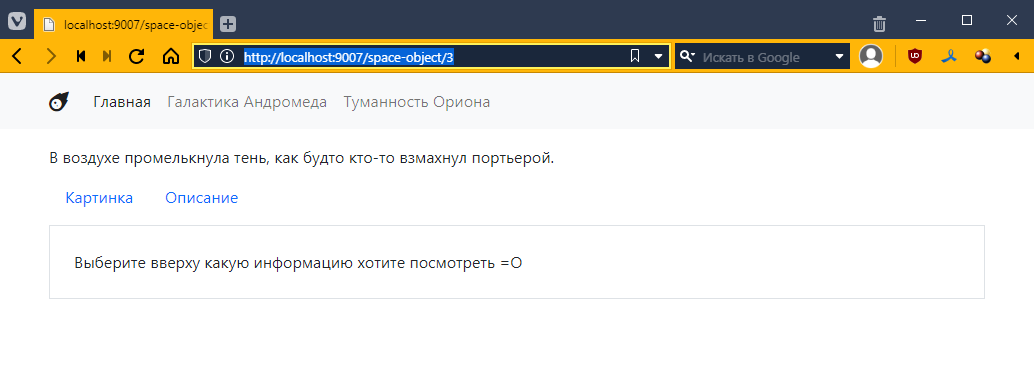
And then in phpMyAdmin
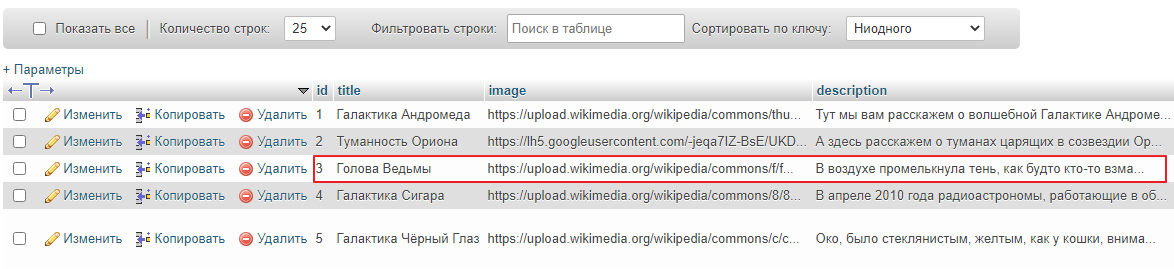
Well, it seems to have caught on =)
Now let’s try with another id, for example: http://localhost:9007/space-object/1
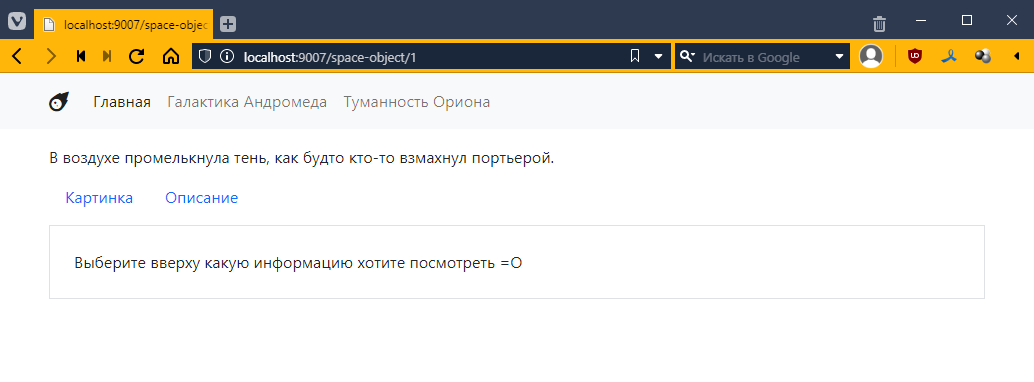
Well, it displays the same thing. That means we need to somehow pass this identifier to the controller.
Go to Router.php and add the matches variable like this:
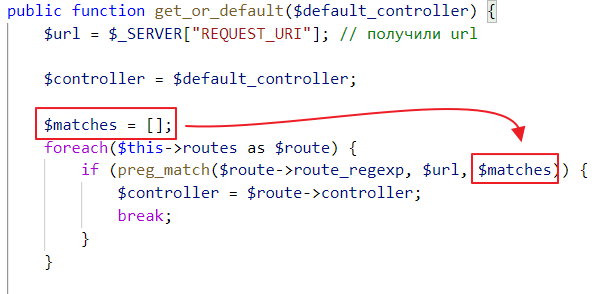
The idea behind this variable is as follows: when you have parentheses in the regular expression /space-object/(\d+), the part of the string that matches what is in the parentheses will go into matches, i.e. if you only have one set of parentheses, the value will go as the second element of the array matches[1].
So, if we have the string /space-object/42, then
matches[0] will be /space-object/42,matches[1] will be 42If we had /space-object/(\d+)/(\w+) and a URL like /space-object/42/andromeda, then
matches[0] would be /space-object/42/andromeda,matches[1] would be 42,matches[2] would be andromeda.We need to pass this matches to the controller. Let’s go to BaseController and add the params field:
<?php

abstract class BaseController {
    public PDO $pdo;
    public array $params; // added field

    // added setter
    public function setParams(array $params) {
        $this->params = $params;
    }

    // ...
}
And then we call this function in Router.php
public function get_or_default($default_controller) {
    // ...

    $controllerInstance = new $controller();
    $controllerInstance->setPDO($this->pdo);
    $controllerInstance->setParams($matches); // pass parameters

    if ($controllerInstance instanceof TwigBaseController) {
        $controllerInstance->setTwig($this->twig);
    }

    return $controllerInstance->get();
}
Now let’s see what happens when the getContext method is called. Go to ObjectController and insert the following there:
<?php

class ObjectController extends TwigBaseController {
    public $template = "__object.twig";

    public function getContext(): array
    {
        $context = parent::getContext();

        // added params output
        echo "<pre>";
        print_r($this->params);
        echo "</pre>";

        // ...

        return $context;
    }
}
Let’s see
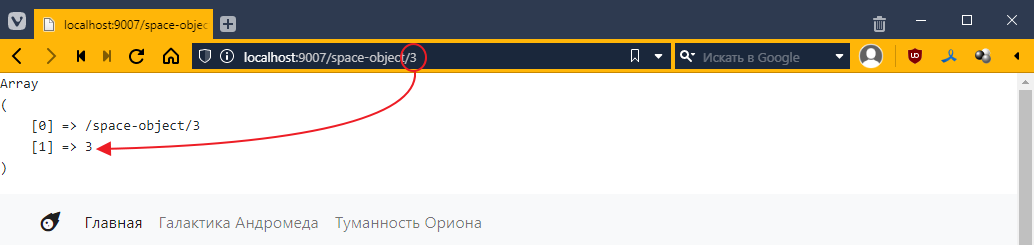
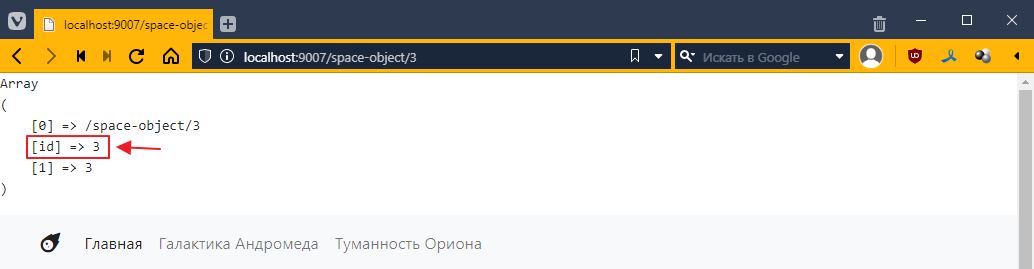
As I promised, $this->params turned out to be a number from the request.
By the way, in regular expressions, you can add a name to a subexpression. To do this, add ?P<param_name> after the opening parenthesis, like this
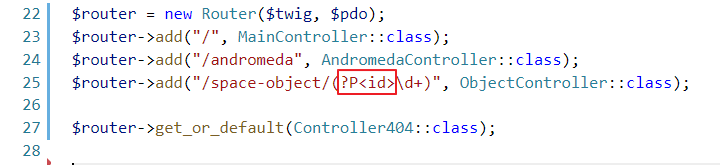
Now, if we reload the page, we will see that an additional key has appeared in the dictionary:
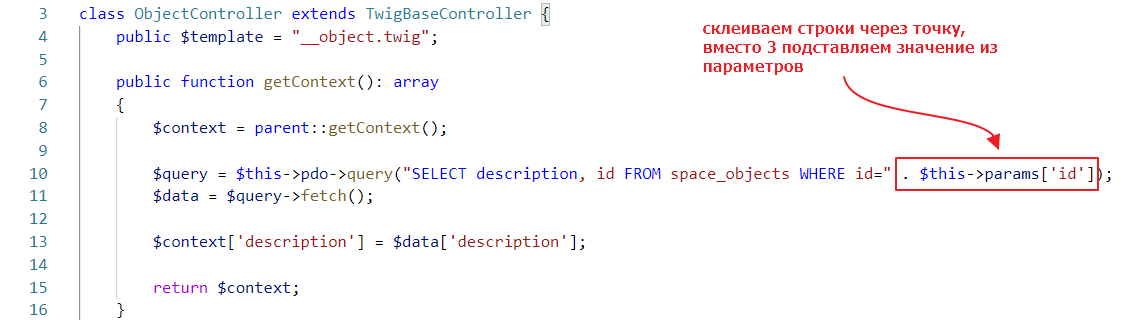
Let’s use this parameter now.
Let’s try it:
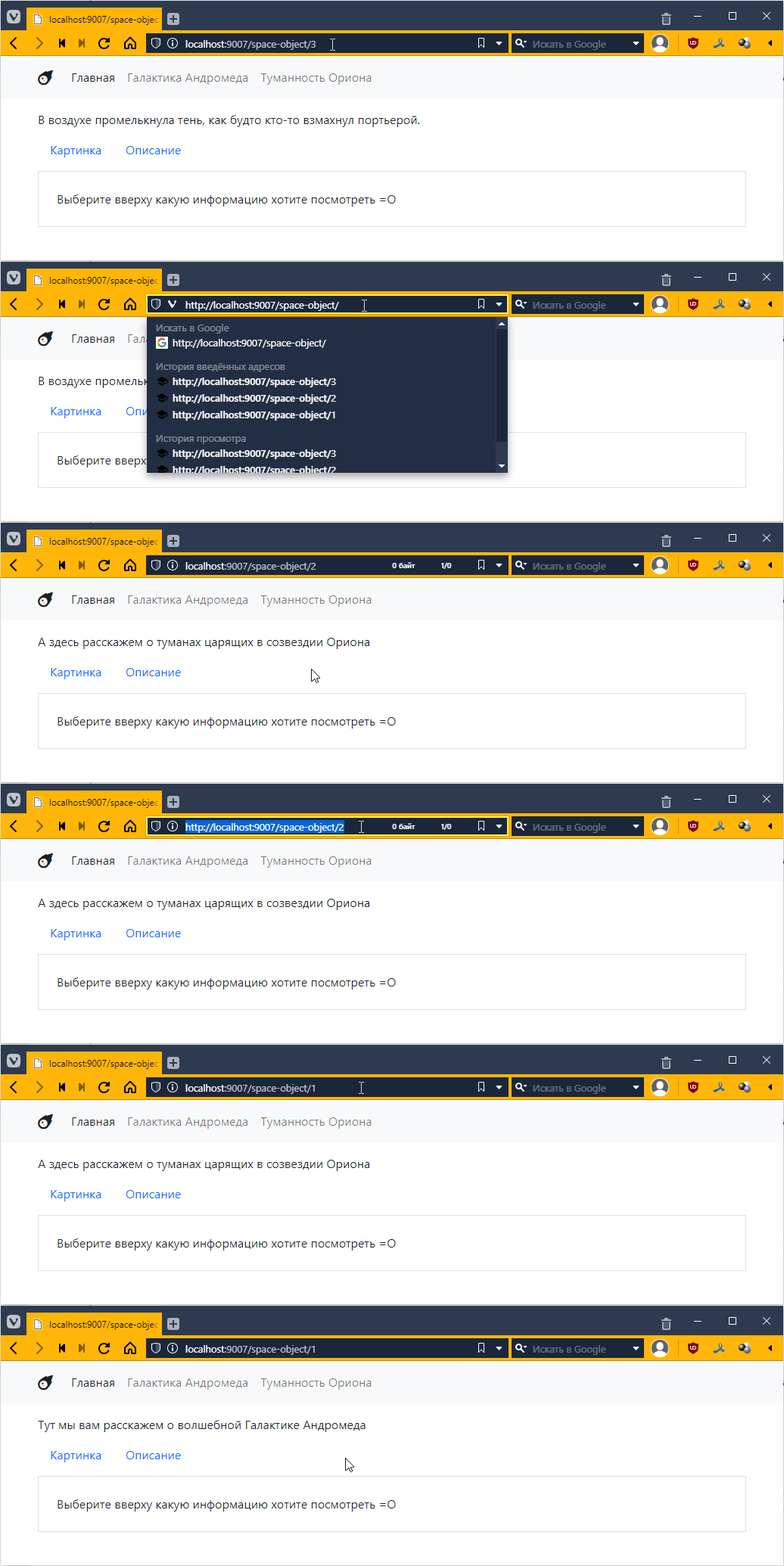
Incredible! =О
We are now forming a query by simply concatenating strings. This is potentially a security hole because if, for some reason, we create a flawed regular expression, a potential attacker could substitute any expression for the number, including a database query.
Here’s an example. Let’s say we made this regular expression
$router->add("/space-object/(?P<id>.*)", ObjectController::class);
.* means a set of characters of any length. This is often used when you need to display some arbitrary name to make the URL more readable.
The request http://localhost:9007/space-object/1 will work as usual:
But now some bad guy comes along and writes

and suddenly you have a double query inside:
SELECT description, id FROM space_objects WHERE id=1; UPDATE space_objects SET title = title + "1" WHERE id = 3;
and if we somehow mess up the data, it may result in data being updated or even deleted. This type of attack is called SQL Injection.
Therefore, when you form a query, you should never use simple string concatenation. The creators of PDO are aware of this and therefore offer an alternative way to pass parameters. It is used as follows:
// create a query, create a variable my_id in the query for the parameter
$query = $this->pdo->prepare("SELECT description, id FROM space_objects WHERE id= :my_id");
// bind the value to my_id
$query->bindValue("my_id", $this->params["id"]);
$query->execute(); // execute the query

// retrieve data
$data = $query->fetch();
It will work the same way:
Go to main.twig and replace the hrefs there
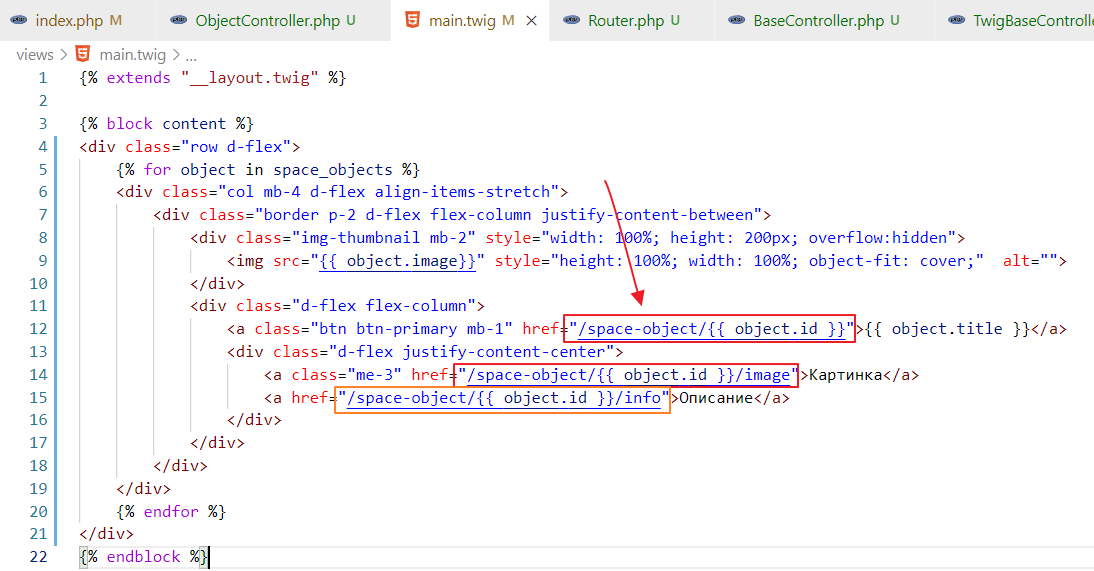
and try it out
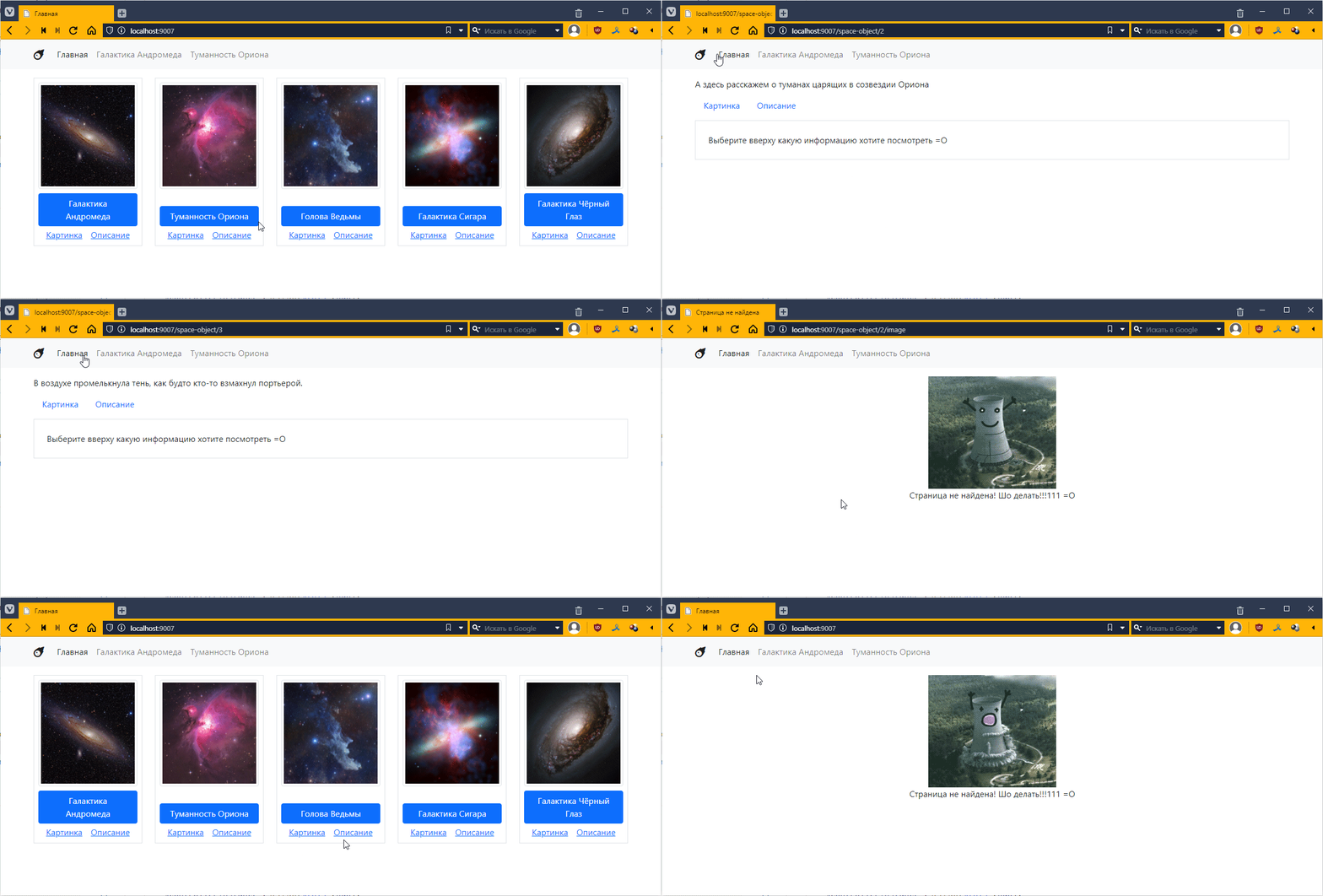
Make sure that:
Image and Description links also take data from the database.