In addition to the main part of the address, such as http://localhost:9007/space-object/1, URLs often contain additional elements that are added at the end after the question mark:
http://localhost:9007/space-object/1?sort=title&filter=Галактика
These are called GET parameters. They are a set of keys and values separated by an ampersand &
They are usually used to refine the behavior of the base request, for sorting, filtering, etc.
We don’t have top navigation enabled right now. More precisely, there are some items there, but they don’t work anymore.
Let’s use it to select the types of objects I want to see. For example, I have nebulae and galaxies. I want to make it so that clicking on one link shows nebulae, and clicking on another link shows galaxies.
But first, we need to prepare the data. Let’s add a field to the database that will indicate the group to which the object belongs.
Go to phpMyAdmin and add a field
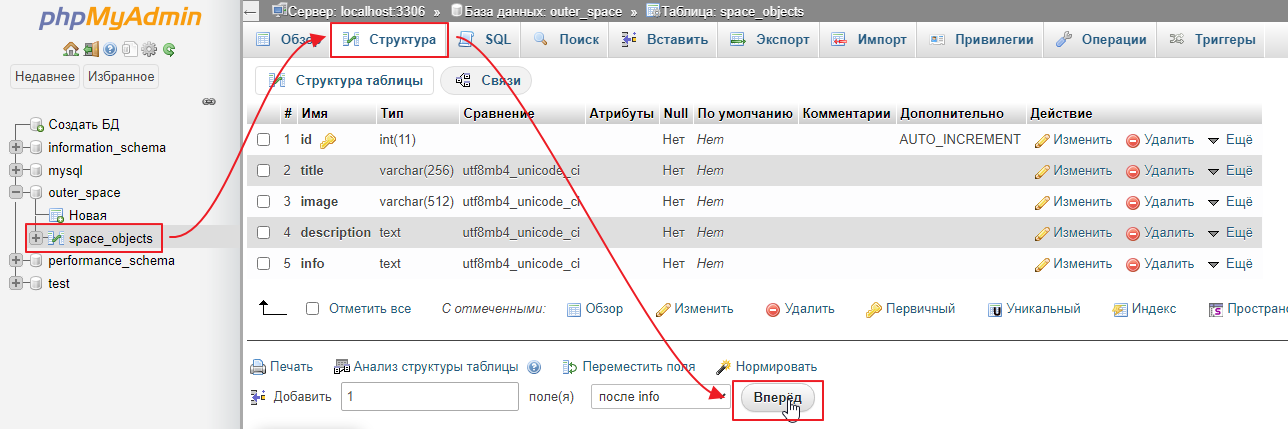
I’ll call it type
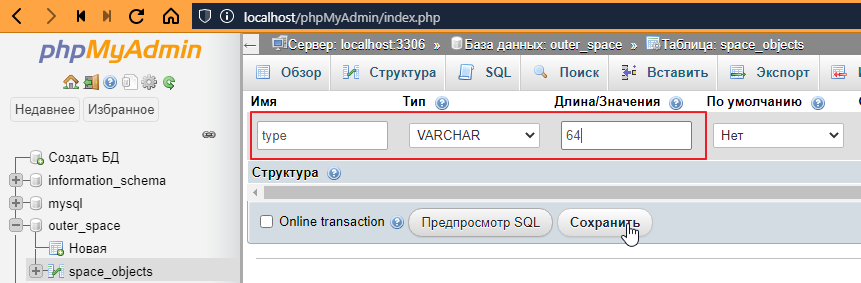
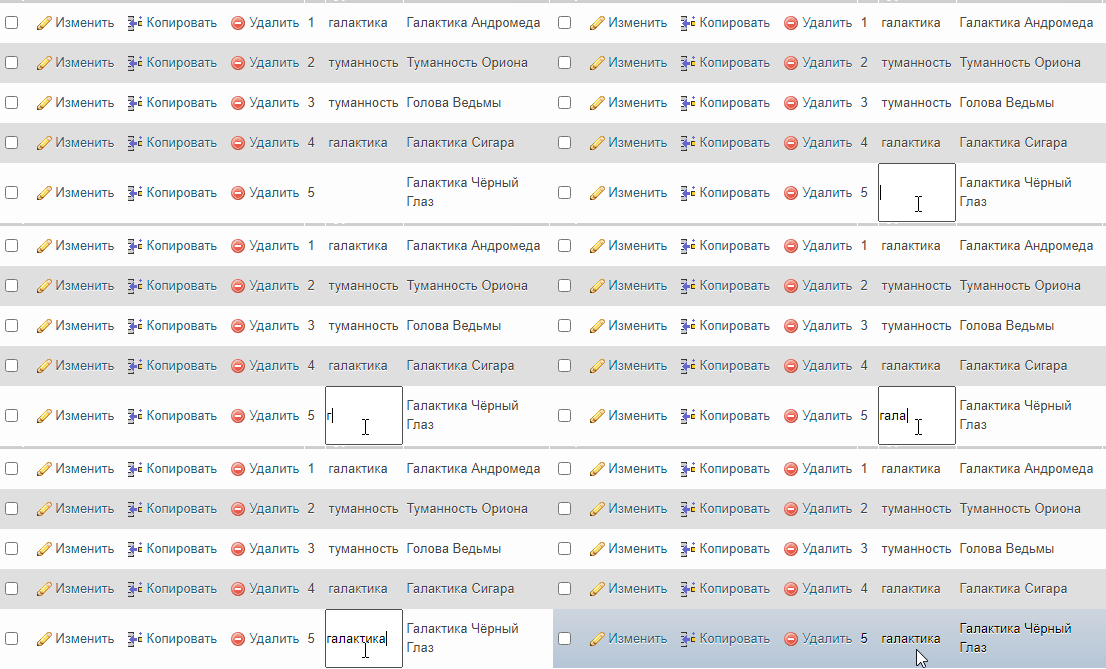
Now we need to fill it in for all objects. To fill it in quickly, you can simply double-click on the field and enter the values:
Creating navigation
Now we need to make sure that when the navigation bar is generated, a list of possible types is displayed. Since the menu should be present on all pages, there are two ways to do this: the correct way and the quick way =)
Quick way
The idea is simple: in Twig, we can define a variable that will be available from any template. To do this, we need to do the following in index.php
// ...
$twig->addExtension(new \Twig\Extension\DebugExtension());

$pdo = new PDO("mysql:host=localhost;dbname=outer_space;charset=utf8", "root", "");

// create a database query
$query = $pdo->query("SELECT DISTINCT type FROM space_objects ORDER BY 1");
// fetch data
$types = $query->fetchAll();
// create a global variable in $twig that will be accessible from any template
$twig->addGlobal("types", $types);

$router = new Router($twig, $pdo);
// ...
Now you can go to the base template __layout.twig and add a loop for types there:
<!DOCTYPE html>
<html lang="en">
<head>
    <!-- ... -->
</head>
<body>
    <nav class="navbar navbar-expand-lg navbar-light bg-light">
        <div class="container">
            <a class="navbar-brand" href=""#><i class="fas fa-meteor"></i></i></a>
            <button class="navbar-toggler" type="button" data-bs-toggle="collapse" data-bs-target="#navbarNav" aria-controls="navbarNav" aria-expanded="false" aria-label="Toggle navigation">
            <span class="navbar-toggler-icon"></span>
            </button>
            <div class="collapse navbar-collapse" id="navbarNav">
            <ul class="navbar-nav">
                <!-- Left a link to the home page -->
                <li class="nav-item">
                <a class="nav-link active" aria-current="page" href="/">Home</a>
                </li>
                <!-- replaced the rest with a cycle by type -->
                {% for type in types %}
                    <li class="nav-item">
                        <!-- type.type -- outputs the type,
                               and adding |title makes the first letter of the word capitalized -->
                        <a class="nav-link" href=""#>{{ type.type|title }}</a>
                    </li>
                {% endfor %}
            </ul>
            </div>
        </div>
    </nav>
    <div class="container pt-3 pb-3">
        {% block content %}
        {% endblock %}
    </div>
</body>
</html>
Let’s take a look:
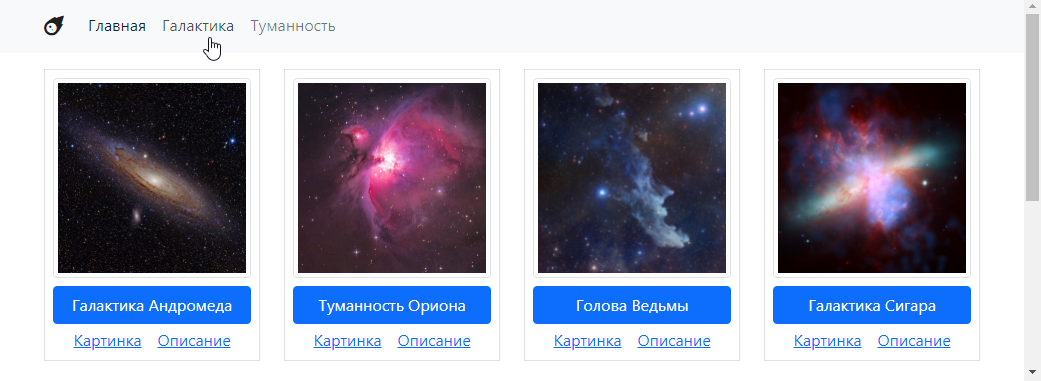
That is, the values from the database are linked, but the links are not working yet.
What’s wrong with this approach? From a template perspective, everything is fine. But from a code perspective, not so much. Our index.php is the entry point of the application, which manages high-level stuff, the router, package connections, database connections, template generator activation, and basically ties everything together.
And this attempt to make a request to the database and pass something to twig looks like we’re blowing a whistle at a symphony concert. In general, it’s inappropriate, plus it’s impossible to test.
Therefore
The right way
So, the more correct approach is to create a base controller for our application (not a framework—ideally, a framework should be independent of the project theme) and have all other controllers inherit from it.
Let’s do that. Create a file, I’ll call it BaseSpaceTwigController.php, and put the code that was in index.php into it, but with a few minor changes.
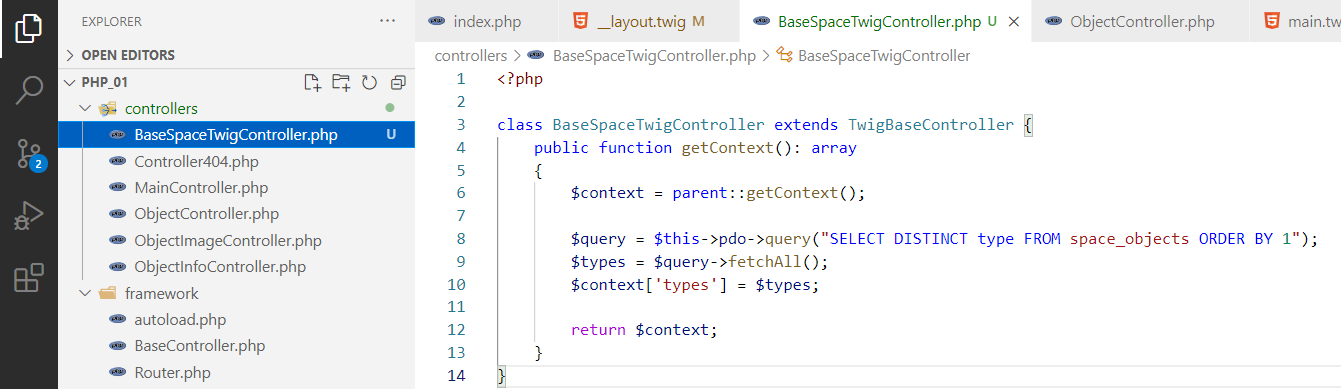
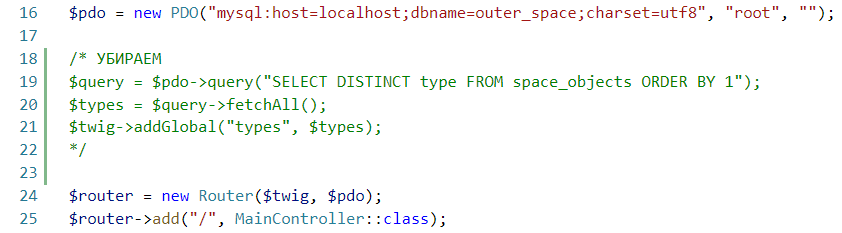
And remove this from index.php.
and replace TwigBaseController with BaseSpaceTwigController everywhere.
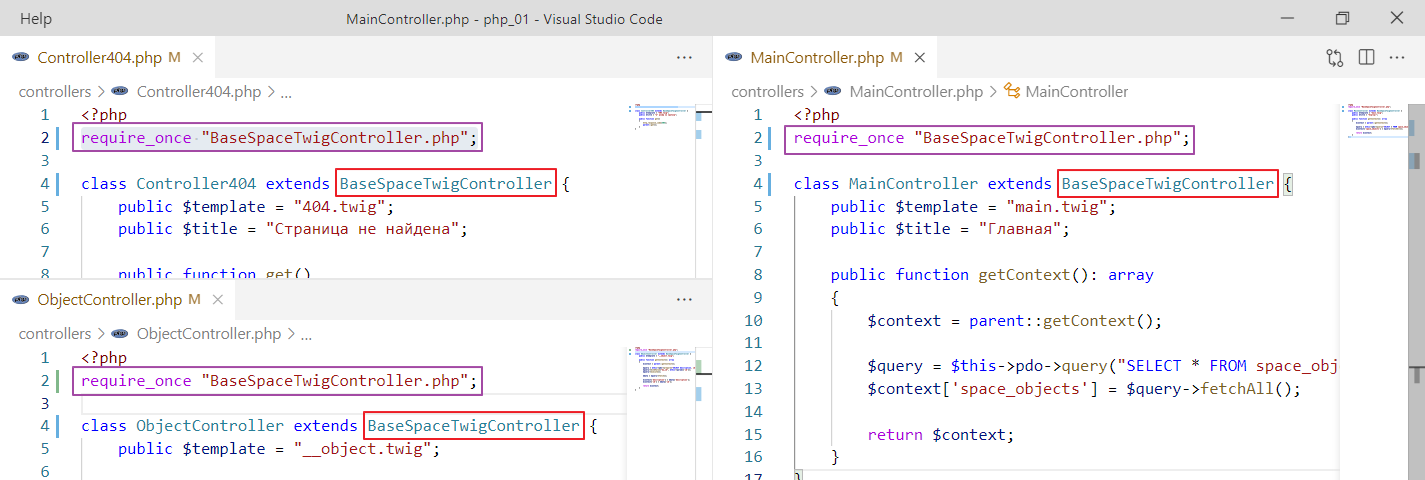
It works the same way.
But it’s more architecturally sound.
Using navigation as a filter
Now I want to make it so that clicking on a navigation element triggers the same controller. But I want it to understand that I only want to see objects of a specific type.
How can I do this?
To do this, we need to add query parameters to the link leading to the home page. This is done as follows. Go to __layout.twig and add parameters to the href of the navigation elements:
{% for type in types %}
    <li class="nav-item">
        <!-- added href="/?type={{ type.type }}" -->
        <a class="nav-link" href="/?type={{ type.type }}">{{ type.type|title }}</a>
    </li>
{% endfor %}
Let’s see how it looks
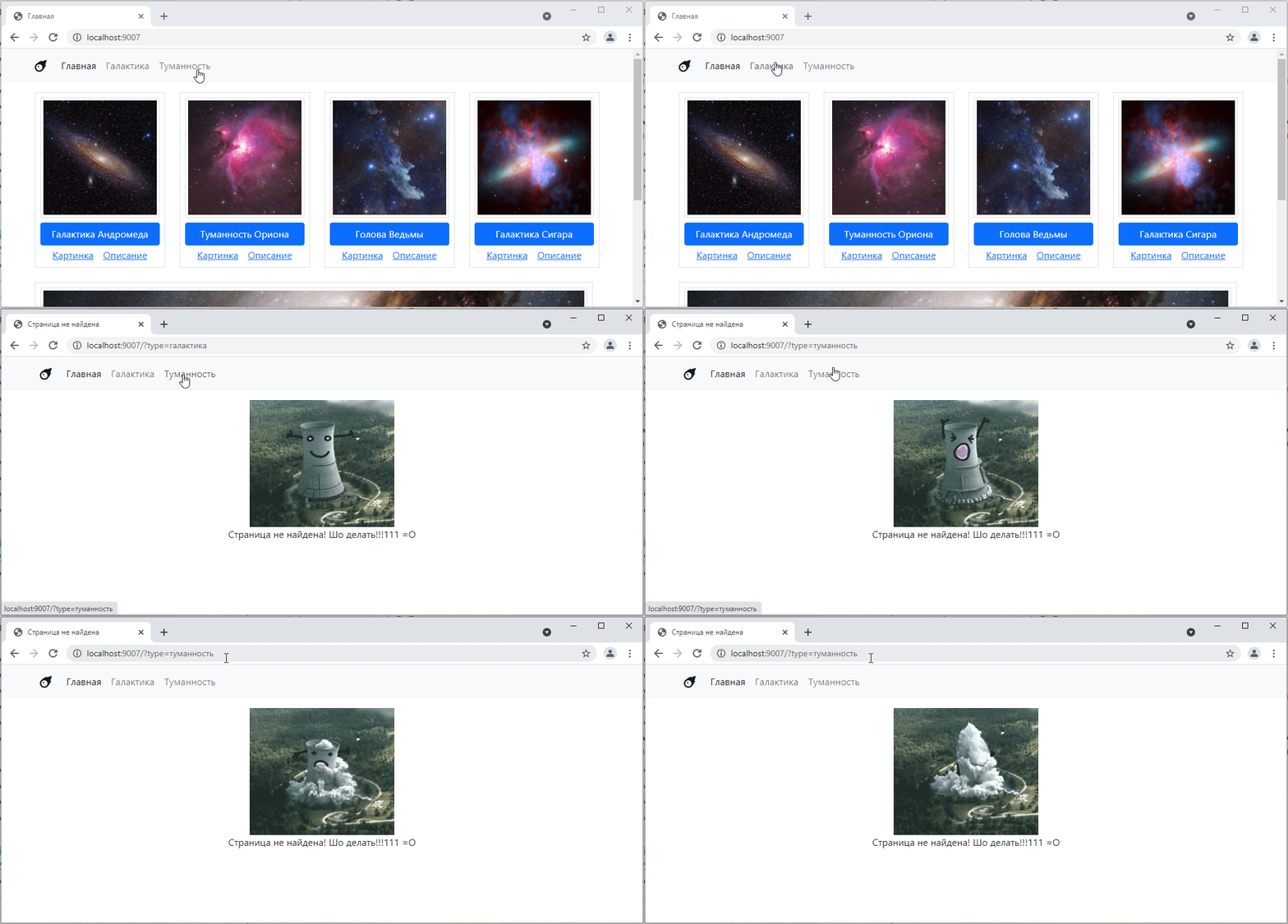
That is, the part responsible for the parameters appears in the request, but for some reason the router stops recognizing the path.
Why is this happening?
To understand, let’s add the output $_SERVER["REQUEST_URI"] to the router.
class Router {
    // ...

    public function get_or_default($default_controller) {
        $url = $_SERVER["REQUEST_URI"];
        print_r($url); // added output
        // ...
    }
    // ...
}
Let’s look at the page
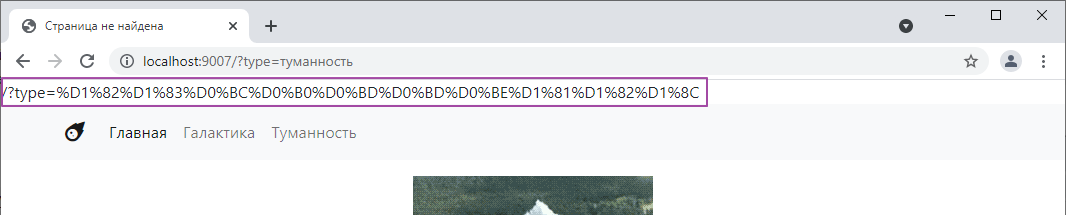
That is, PHP does not separate the address itself from the address parameters for us. Fortunately, there is a function that can do this. It is called parse_url — it knows how to extract various separate pieces from a URL string, such as the scheme, website address, full address, and other elements, which are actually quite numerous. Let’s check how it works^
public function get_or_default($default_controller) {
    $url = $_SERVER["REQUEST_URI"];

    $path = parse_url($url, PHP_URL_PATH); // вытаскиваем адрес
    echo $path; // выводим

    // ...
}
Oh, how:
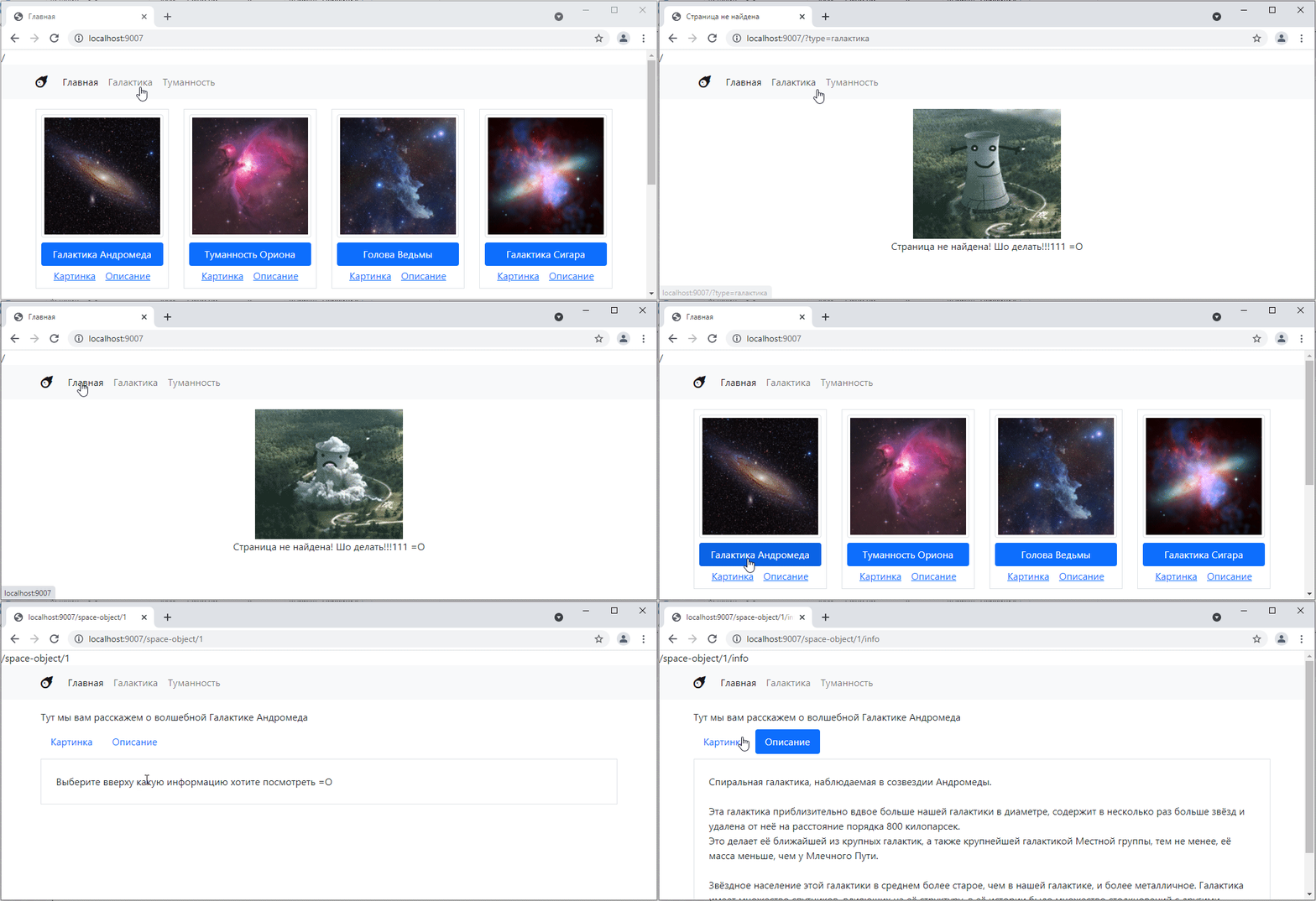
But besides the address itself, we also need parameters.
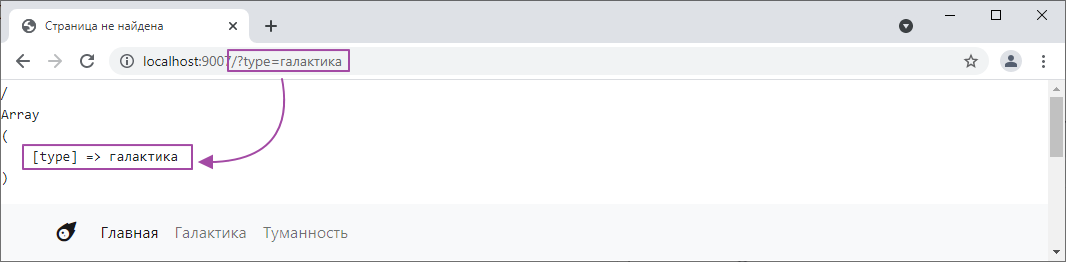
And with parameters, everything is simpler. The set of parameters in the address bar is called GET request parameters, and they are accessible through a special variable $_GET. Let’s take a look:
public function get_or_default($default_controller) {
    $url = $_SERVER["REQUEST_URI"];

    $path = parse_url($url, PHP_URL_PATH);
    echo $path;

    echo "<pre>"; // for a nicer display
    print_r($_GET); // display the contents of $_GET
    echo "</pre>";
    // ...
}
Let’s see:
We can add a couple more parameters using &, for example, [http://localhost:9007/?type=галактика&sort=123&my_array[0]=c&my_array[1]=b] (http://localhost:9007/?type=галактика&sort=123&my_array[0]=c&my_array[1]=b) and see what happens:
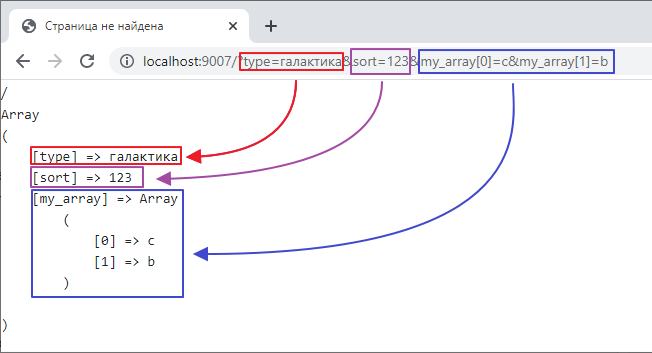
In other words, this $_GET stores the parameters from the address bar in a convenient form.
Fixing the router
So let’s first fix the router so that it ignores the parameters and only tests the address itself for a match, like this:
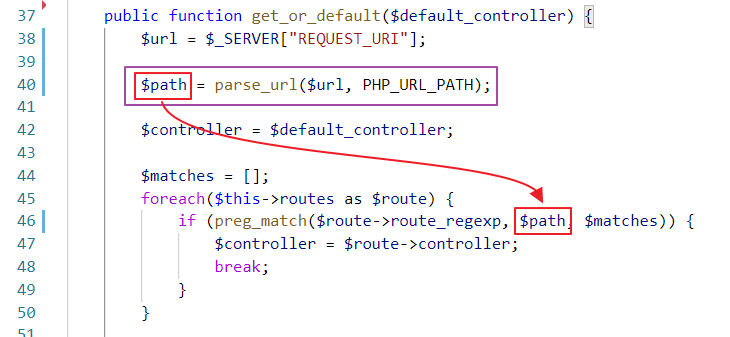
Connecting the filter
Now let’s go to MainController and make the following changes:
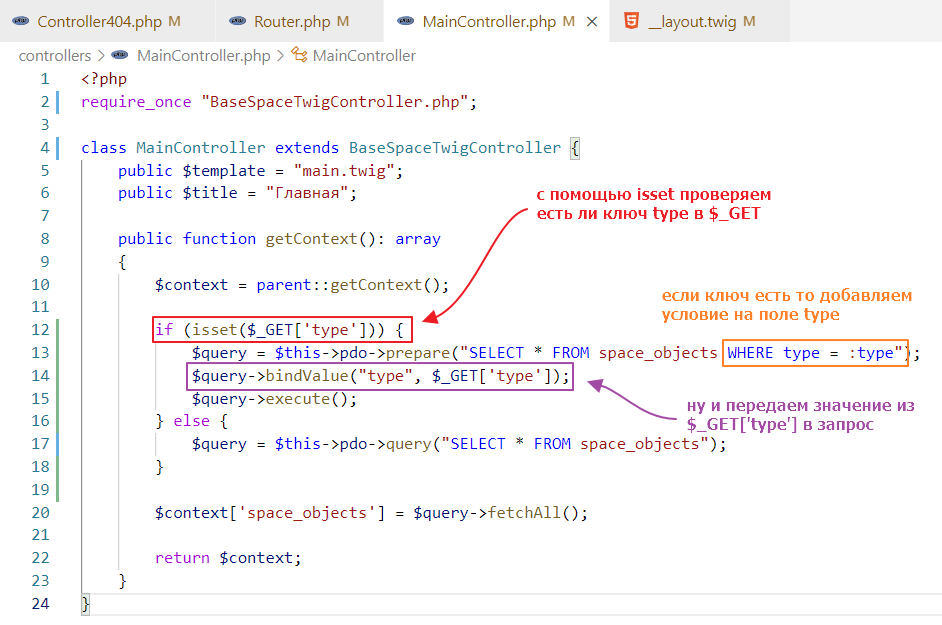
and test it:
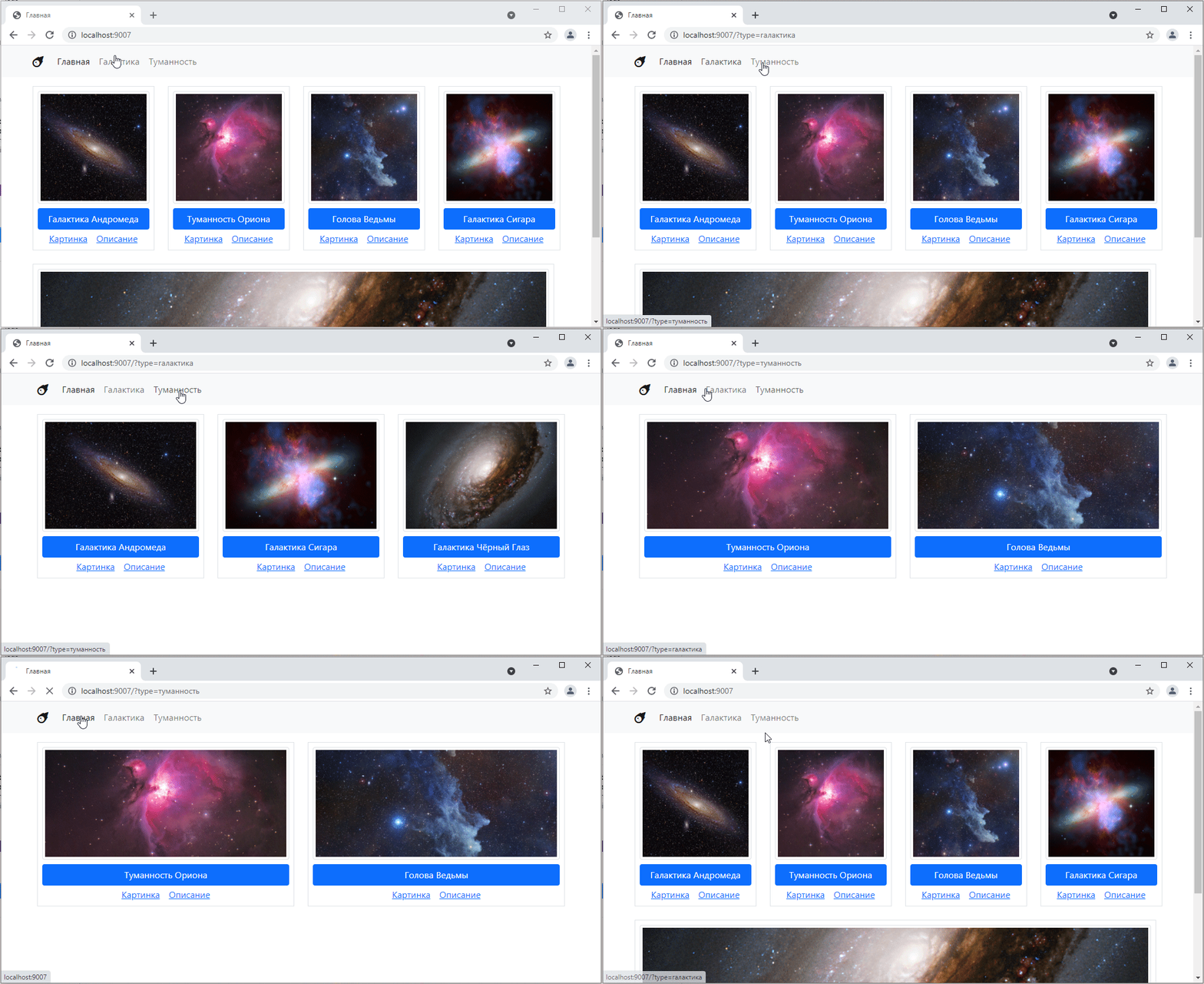
Great! =)
Task
Rewrite ObjectController.php so that it contains logic for both ObjectImageController.php and ObjectInfoController.php, i.e., the decision to display an image, brief information, or full information is made based on the get parameters. For example:
http://localhost:9007/space-object/1 – general information- http://localhost:9007/space-object/1?show=image – displays an image
- http://localhost:9007/space-object/1?show=info – displays full information
Update all links accordingly. Remove the ObjectImageController.php and ObjectInfoController.php controllers.