Checking a string for partial match
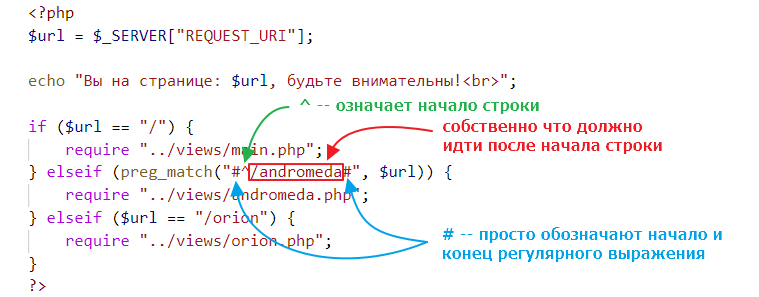
By the way, you will most likely need to check for a partial match rather than a complete match. For example, we can check that a URL begins with the word “andromeda”
if (preg_match("#^/andromeda#", $url)) {
    require "../views/andromeda.php";
}
Here we use a regular expression. This may be clearer:
Creating a file hierarchy
When organizing files in a project, you should follow this approach:
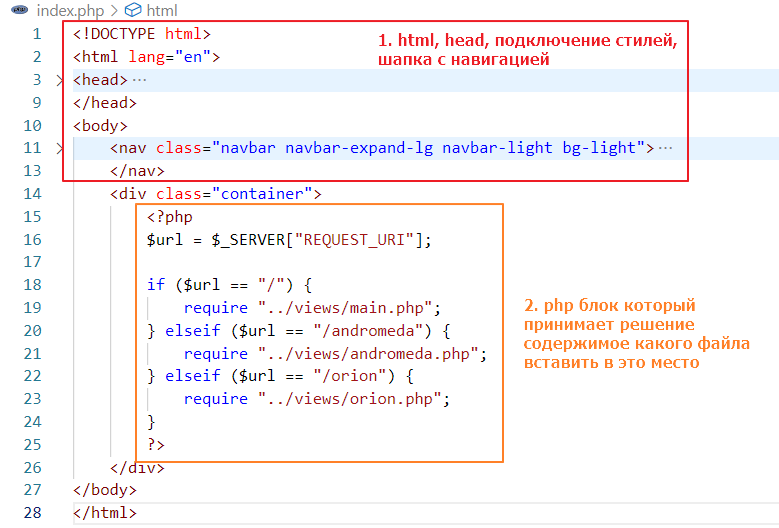
1) index.php is the entry point of your web application
2) only the index.php file contains html tags, body tags, and a header with navigation
3) the index.php file is divided into two main areas
In turn, each andromeda or orion file should be responsible only for its own markup and have approximately the following structure
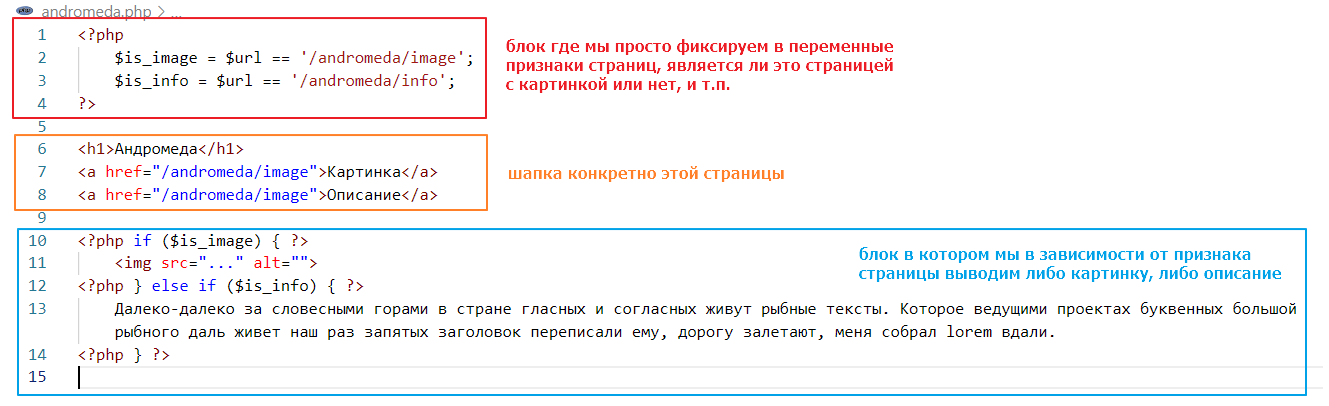
Instead of putting both the description and the image in one file, as in the example above, it is better to put them in separate files. For example, the andromeda file should decide which file to connect via require based on the variables is_image and is_info (just like in index.php). The result should be a file structure similar to the following:
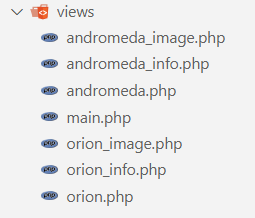
Highlighting the active element
The question will most likely arise of how to implement highlighting of the active element so that it works like this:
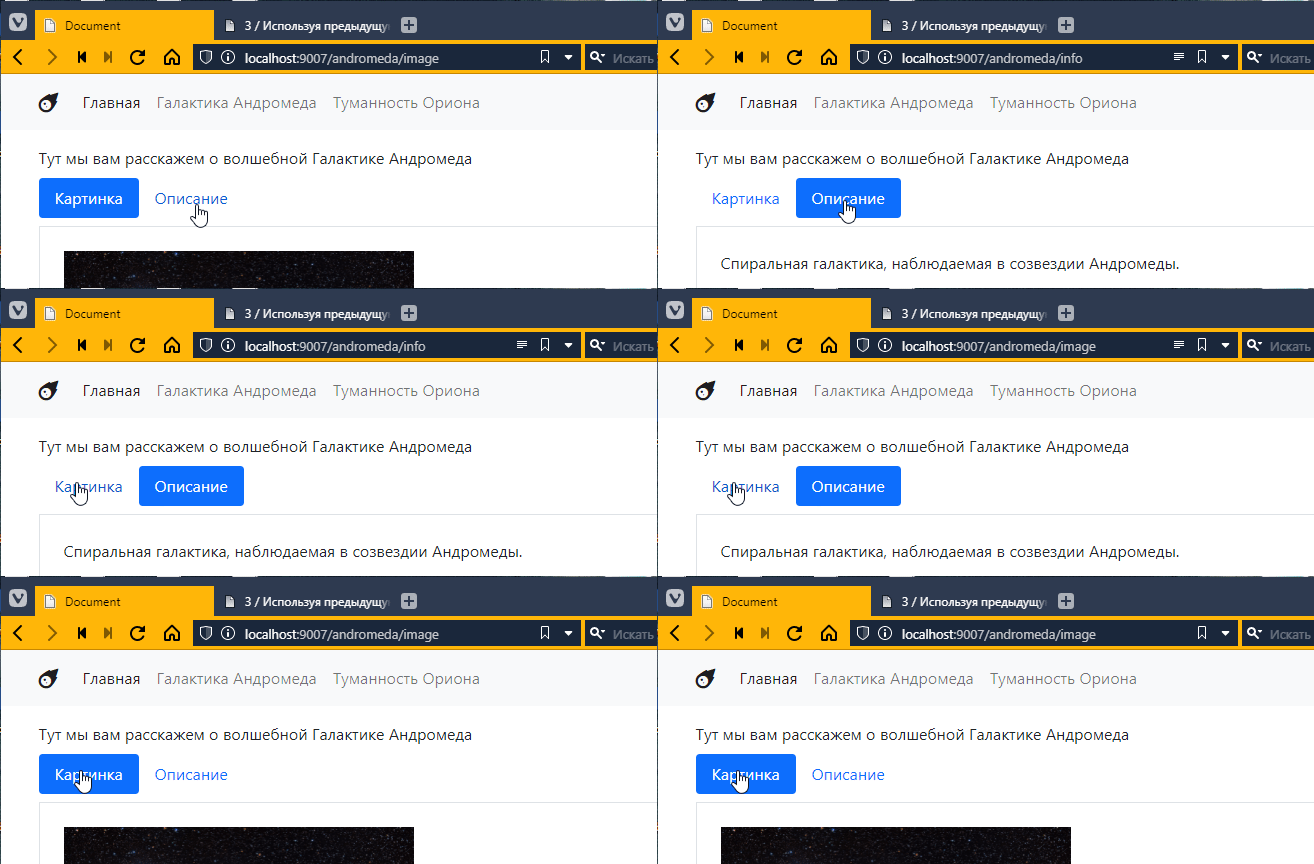
First, the Bootstrap element https://getbootstrap.com/docs/5.2/components/navs-tabs/#pills is used here.
The idea is as follows:
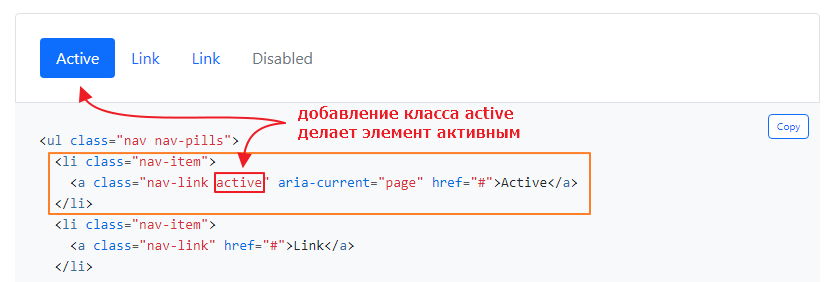
We need to add this class dynamically. From a code perspective, we need to insert a condition into the markup:
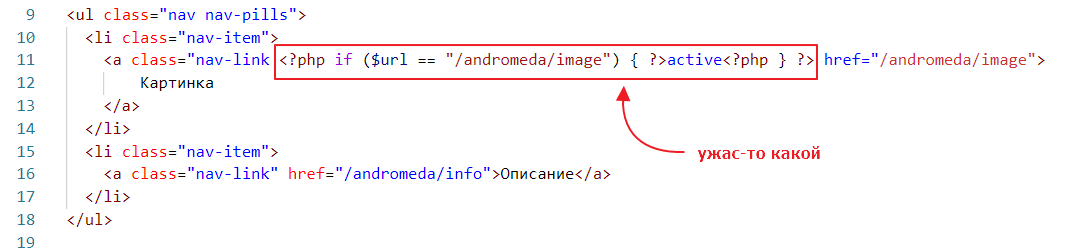
It turns out that when the URL is equal to the link to the image, we need to add the active class. And it will even work. But it’s not really readable =)
So the first thing we can do is move the logic to a separate PHP block, somewhere higher up, something like this:
<?php
    // declare a variable that is True if the address matches the address of the page with the image
    $is_image = $url == "/andromeda/image";
?>

<ul class="nav nav-pills">
  <li class="nav-item">
     <!-- and now we check the value of this variable -->
    <a class="nav-link <?php if ($is_image) { ?>active<?php } ?>" href="/andromeda/image">
        Image
    </a>
  </li>
  <!-- ... -->
</ul>
That’s better. But it’s still not very readable. Let’s replace the two <?php … ?> blocks with one using echo:
<ul class="nav nav-pills">
  <li class="nav-item">
    <a class="nav-link <?php if ($is_image) { echo "active"; } ?>" href="/andromeda/image">
        Picture
    </a>
  </li>
  <!-- ... -->
</ul>
A little better, but in fact, it can be simplified to this:
<ul class="nav nav-pills">
  <li class="nav-item">
    <a class="nav-link <?= $is_image ? "active" : "" ?>" href="/andromeda/image">
        Picture
    </a>
  </li>
  <!-- ... -->
</ul>
Here, a special simplified block <?= ... ?> is used, which is essentially an echo instruction inside. That is, if you can put any expression into it, it will work like
<?php echo $is_image ? "active" : "" ?>
Elements on the main page
I don’t think there will be any questions about the elements on the main page. I used https://getbootstrap.com/docs/5.2/components/list-group/ for the list
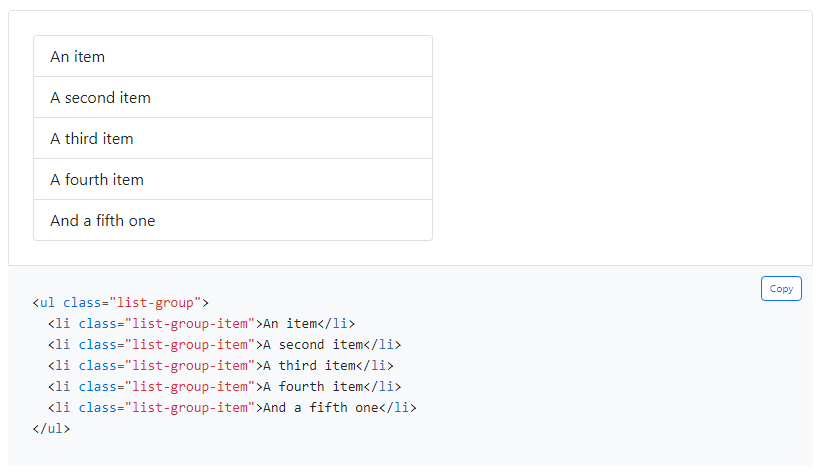
and https://getbootstrap.com/docs/5.2/components/buttons/ for the page titles
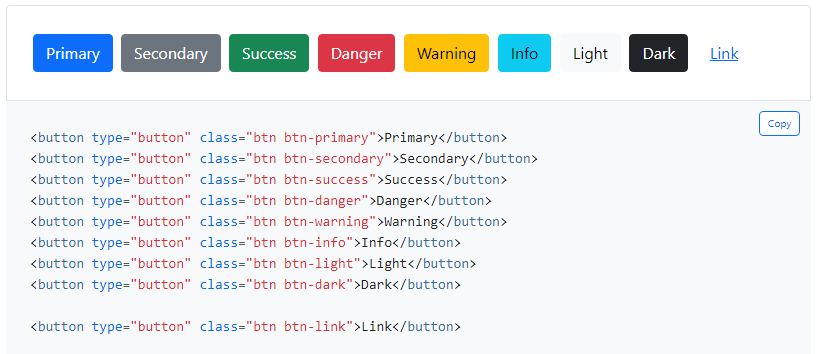
And to keep everything from sticking together, I used classes for indents https://getbootstrap.com/docs/5.2/utilities/spacing/#margin-and-padding
Task
Revise the website:
- Add additional pages with information about the object and a picture of the object.
- Create separate files for the new pages, which will be linked from the object page.
- Add links to all pages on the home page.
- The additional pages should show which menu item is selected.
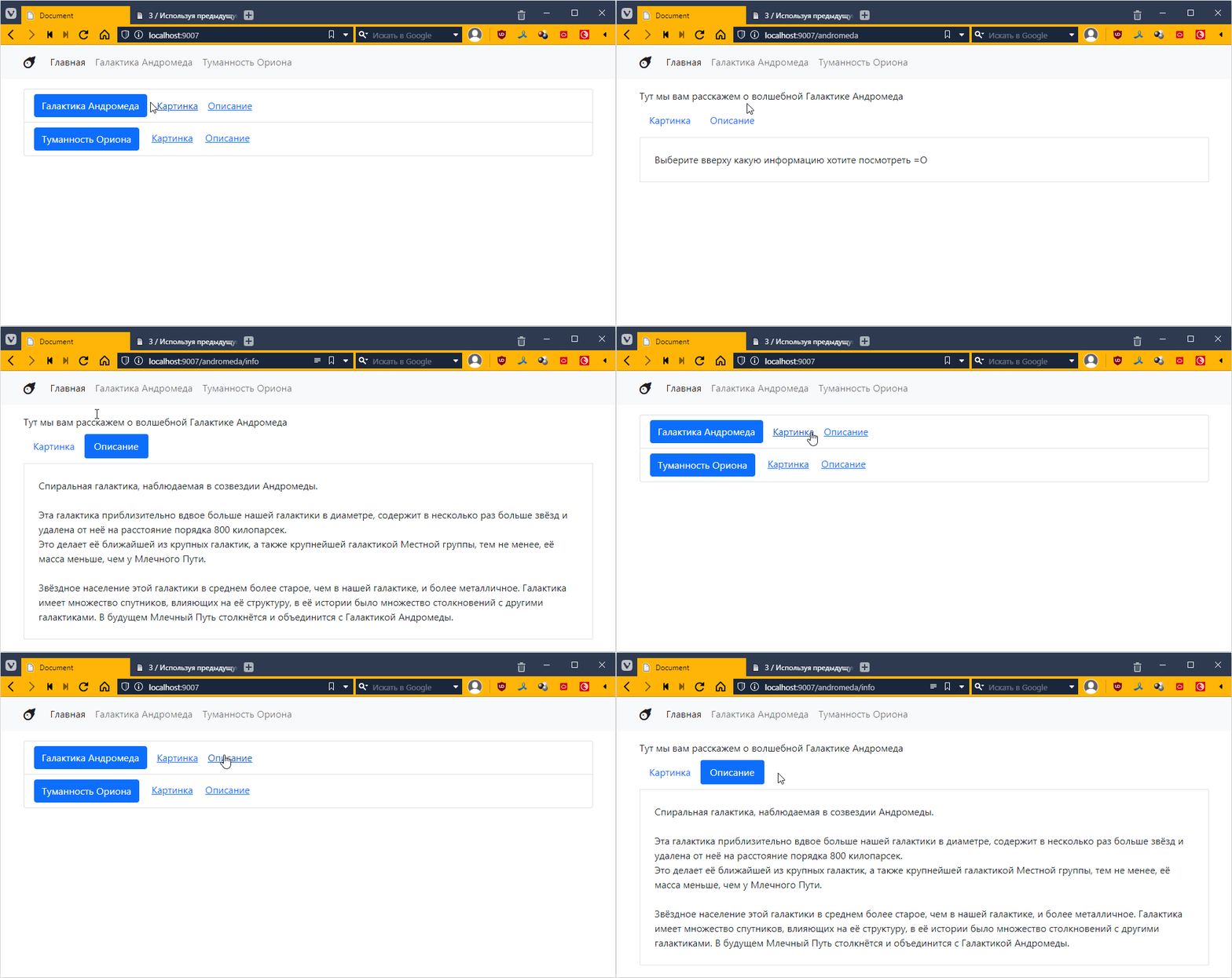
The result should look something like this: